
CyberGhost VPN Review: Speed and Streaming Capabilities Test
Online privacy violations and data breaches are nowhere stopping. This drives almost everyone’s interest in VPN services like CyberGhost. The VPN provider has caught all the attention for helping you safeguard your personal information and browsing traffic by camouflaging your data via a VPN tunnel. With such encrypted ways you can expect plenty of perks to be unlocked such as:
- Safeguarding your personal information from being seen
- Avoiding websites to know about your IP address
- Saving your browsing habits from being sold to advertisers
- Simply screaming videos available in some specific nations
- Increasing your speed under specific circumstances
The list can keep going on and on. However with the benefits you must know how the VPN provider provides the best protection. Being a popular virtual private network provider you can expect CyberGhost to offer premium features at reasonable prices. It facilitates streaming and lets you get all the related benefits as well.
However do you think that is all?
In this blog post we will learn about those features of CyberGhost to know if it is worthy of your trust. Over here we will focus on parameters like security streaming torrenting features and privacy concerns. After reading this blog you can make an informed decision about counting on CyberGhost VPN.
CyberGhost as a Solution For Torrenting
CyberGhost is one of the providers with dedicated VPN servers which can provide secure fast and private file sharing. Clearly it is good for torrenting offering you all the protection you need. You can also expect dedicated servers for P2P filesharing which can go well with all torrenting clients.
CyberGhost is well arranged to support the traffic with high bandwidth and thus allows downloading big files on a P2P network. You can learn about the distance of every optimized server from your location and choose the nearest one. You can start it for easy access later.
Learn How to Torrent with CyberGhost Easily
To be honest it is easy. All you need to do is
- Use the profile titled ‘CyberGhost Torrent Anonymously’ on the CyberGhost Windows app.
- Do the necessary settings.
- You can add the torrent client to launch or block tracking options.
- After this it’s your choice to pick servers manually or automatically.
CyberGhost VPN as a Solution for Streaming
After reading reviews on CyberGhost VPN we can call it good for streaming. It works on numerous platforms including Netflix Hulu Amazon Prime Video and HBO+ Max. It also works on Disney+ BBC iPlayer Apple TV and YouTube TV. Owing to specialized servers by CyberGhost it becomes easy to look for one that can unblock a media platform.
Using CyberGhost For Streaming
Are you wondering how to use CyberGhost for streaming? For that purpose you must have an active subscription from CyberGhost VPN a streaming service subscription an active connection to the CyberGhost server a browser and the absence of other VPNs.
Once you have all of these here are the steps you need to follow to stream with CyberGhost VPN:
- Open the CyberGhost app. You can use the operating system of your choice for that purpose.
- Reach the streaming tab.
- Reach a server for the platform you want to use.
- Access the streaming platform using your browser after ensuring an established VPN connection.
Speed of CyberGhost
We went through different reviews on CyberGhost VPN to learn about its authenticity and the outcomes we found were amazing. We discovered that the upload speed of the VPN reached 20.72 Mbps while for the downloads it went 21.13 Mbps. And with that it won’t be wrong to call the speed smooth and fast for a browsing experience.
Testing Speed of CyberGhost
Though we have shared the speed CyberGhost has beforehand in the earlier section we thought of helping you test it too. So you would need three tests to learn about the speed of CyberGhost. One will be with an active VPN connection while the others will be without one. Below we will discuss the steps to test the speed of CyberGhost VPN for each of them.
- Launch the connection of a CyberGhost VPN.
- Search for speedtest.net and select the ideal location.
- Note down the speed test server.
- Open a private window and go ahead.
- Disconnect the VPN and perform the same test
- Open a new private window.
- Keep the CyberVPN off and perform the test.
After these steps you will have a clear picture of the speed CyberGhost offers.
Security and Privacy Feature
All right! We are nearly ending the blog. However before doing that you must have a picture of the security and privacy of CyberGhost. So here are some features CyberGhost has to provide a safe browsing experience:
- Military-Grade Encryption: You may be prone to hackers on P2P networks torrenting with unencrypted traffic. Luckily CyberGhost hides your data with a military-grade 256-bit cipher.
- Smart WiFi Rules: It enables the WiFi to start on its own once you connect to the internet while using some applications or when your system starts up.
- Perfect Forward Secrecy: Owing to this feature you can be sure your connection does not fall prey to anyone hacking your device. Isn’t this feature a smart one?
- Malware Protection: Do you know there is high-powered anti-virus in the built-in Cybersecurity suite for Windows? It can keep trojans viruses worms and ransomware at bay.
- No-Logs Policy: This privacy feature ensures your torrenting information does not have to face the sneak peek of third-party it remains hidden.
- Privacy-friendly jurisdiction: Do you know CyberGhost has its headquarters in a privacy-friendly nation? It follows a no-data retention policy.
- Kill-switch: Following an unexpected tunnel you can be sure your data is not leaked. That’s because CyberGhost disconnects you from the internet immediately with that instance.
Interface for CyberGhost
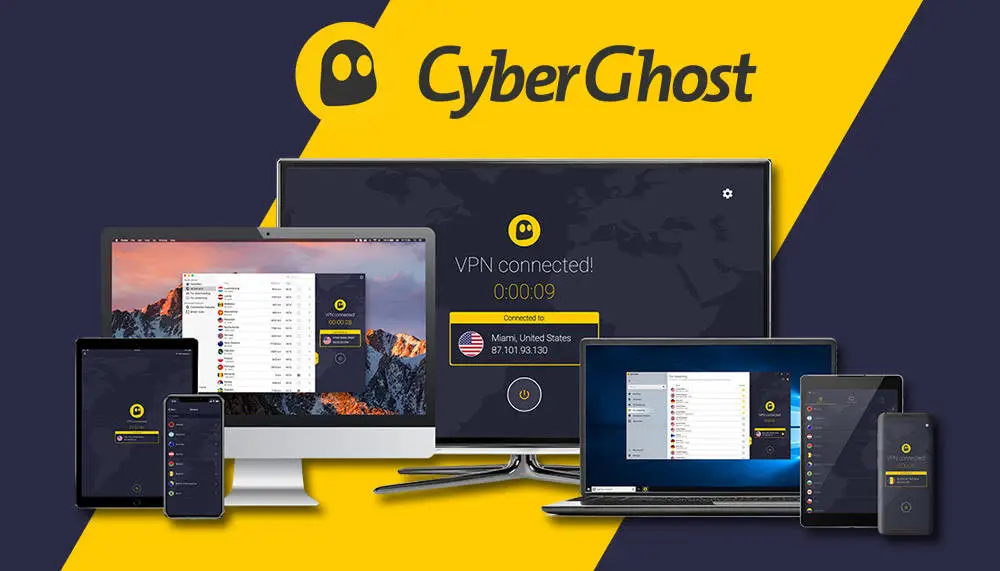
Talking of the userbase of CyberGhost users of Windows Linux macOS Android TV Android and Amazon Fire TV stick come in the list. You can also use it through browser extensions on Firefox Chrome Opera Brave and Edge. And you will have a different experience using CyberGhost on various platforms. Let us give you a picture of how CyberGhost works on each of them:
- Windows: Feature-filled and intuitive
- macOS: Convenient and easy-to-use
- Browser: Basic extensions
- Mobile app: Functionality and good design
Getting CyberGhost For a Seamless Experience
Owing to its features you can call CyberGhost a reliable VPN service. So if you are up to download it let us help you with the easy steps of doing so:
- Visit the website of CyberGhost
- Tap on the button VPN Apps
- Choose the operating system
- Click on Download VPN
- Open the file install the App
- Login and Connect
Conclusion
Gone are the days when merely the name of the VPN was enough to ensure their credibility. Today security tests and personal audits have become necessary to count on a reliable one. In this blog we have walked you through one of the reputed names in the VPN industry- CyberGhost. We didn’t just give you a review but also helped learn about its credibility.
In this review of CyberGhost VPN we have emphasized areas such as torrenting and streaming. At the same time we have also covered areas like speed security and privacy of the VPN provider. Based on our findings you can call it a secure service provider with privacy as the top priority. After learning about the outcomes of the CyberGhost VPN speed test we can call it countable and smooth.
With so much to offer it’s time to log into CyberGhost now.
We hope you liked our blog post. If you did show us the gesture by visiting Final Scope.